NovaJing
Power Button Flex Cable with Flashlight for iPhone 11 Pro Max 11 Pro
Power Button Flex Cable with Flashlight for iPhone 11 Pro Max 11 Pro
Couldn't load pickup availability
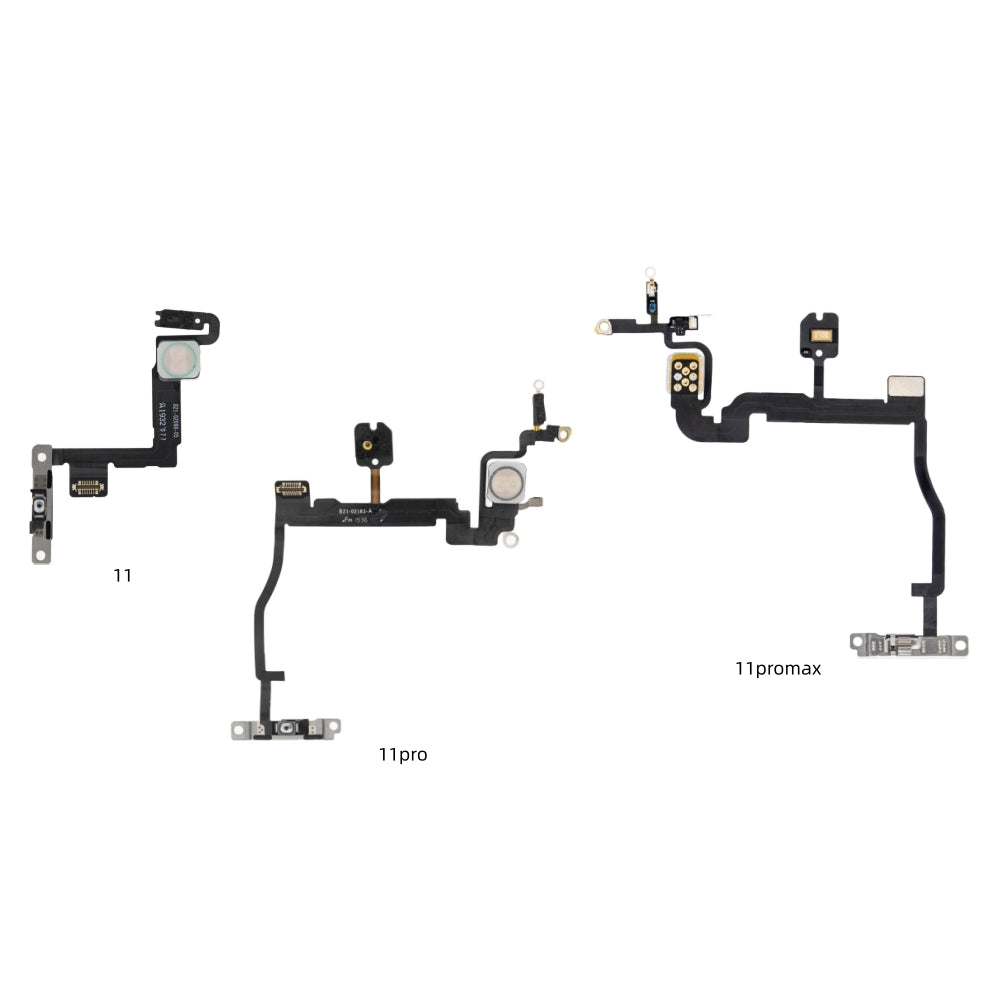
Product Name: iPhone 11 Series Power (Side) Button with Flash Flex Cable
Compatibility: iPhone 11 / iPhone 11 Pro / iPhone 11 Pro Max
Grade: OEM Pull (Genuine part harvested from donor devices. Fully functional, but may show minor signs of prior use.)
Replace this combined assembly to resolve issues related to both the power/side button operation and the rear camera flash functionality, such as:
Power Button Failure: The side button is completely unresponsive for locking/unlocking the device, activating Siri, or triggering Emergency SOS.
Intermittent Side Button: The button works sporadically, requiring multiple presses or specific pressure points.
Flash Failure: The rear LED flash does not activate at all during photo capture or when using the flashlight.
Flash Inconsistency: The flash works sometimes but not others, emits weak or uneven light, or produces an incorrect color temperature (affecting True Tone).
Physical Damage: Visible damage to the side button mechanism, the flash lens/LED, or the flex cable connecting these components, often due to impact or liquid exposure.
Professional installation is highly recommended.
After installation, you must thoroughly test:
Power Button Function Test: Press the side button repeatedly to lock and wake the screen. Perform a long press to activate Siri and the Emergency SOS/power-off slider. Ensure all actions are reliable and responsive with good tactile feedback.
Manual Flashlight Test: Activate the flashlight from the Control Center. Verify it turns on/off instantly with bright, even, and white light.
Camera Flash Test: Open the Camera app and take several photos with the flash set to "On" and "Auto" modes. Ensure the flash fires consistently and properly illuminates the scene in low-light conditions.
System Interaction Test: Reboot the iPhone using the new side button (Volume Up > Volume Down > then press and hold the Side Button until the Apple logo appears). After reboot, verify both the side button and flash function normally in all apps.
Quality & Warranty Promise
Every combined assembly is visually inspected for button integrity, flash lens clarity, and LED condition. It undergoes a basic functionality test to ensure both the button circuit and the flash LED power on before shipment.
This product is backed by a 90-day warranty from the delivery date. If either integrated component (side button or flash) fails due to non-human causes (not from installation error, liquid damage, or physical impact), we provide a free replacement. Please inspect the part upon receipt and contact us with any issues.
Share